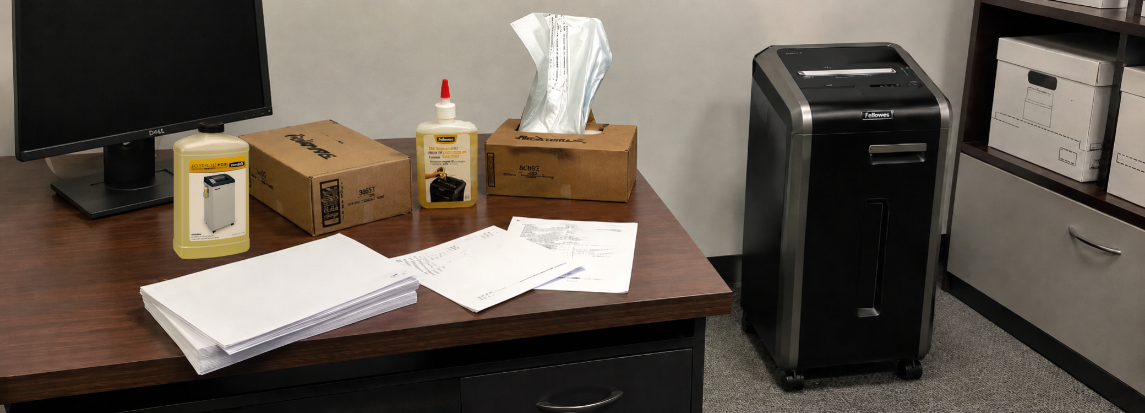
Keeping a Fellowes shredder running for years comes down to a short list of operating habits and a handful of routine tasks. Sheet capacity discipline, cool-down respect, scheduled oiling, and the right consumables together resolve almost every issue that ends in a service call. The Fellowes shredder maintenance and troubleshooting work owners face is small in scope but high in payoff. Done consistently, these habits decide whether a Fellowes shredder lasts five years or fifteen.
Operating thresholds differ across Fellowes shredder models, with sheet capacity, cool-down windows, and lubrication requirements varying between the Powershred, AutoMax, and Fortishred Series. The sections below cover the operating habits, scheduled maintenance, and troubleshooting steps that apply across all of them.
Why Routine Maintenance Determines Shredder Lifespan and Performance
A Fellowes shredder rarely fails for the reason its owner first assumes. Most shredder issues are not random. Wear shows up in predictable places and almost always traces to one of three causes, repeated across every shredder.
The three failure causes behind most service calls:
- Overfeeding past the rated sheet capacity, which stresses the motor and wears the cutters early
- Missed lubrication on the cutter assembly, which leads to tearing instead of clean cutting
- Clogged or dust-covered sensors, which cause false triggers and intermittent shutdowns
Nearly every troubleshooting subsection further down traces back to one of these three causes. A shredder kept inside its capacity, oiled on schedule, and emptied before backup is the one still working a decade in.
Operating Habits That Prevent Most Shredder Failures
The condition of a Fellowes shredder over time is decided far more by operator habits and a short list of recurring tasks than by the model on the spec sheet. The three habits below resolve the majority of avoidable downtime before maintenance enters the conversation.
Stay Within the Rated Sheet Capacity
Pushing past the maximum sheets-per-pass figure stalls the motor, causes paper jams, and triggers the overheat circuit earlier in every subsequent session. Overload damage is cumulative, not single-event.
- Confirm the rated capacity in the manual before feeding bulk paper
- Reduce the per-pass count for heavier or glossy stock and stapled sets
- Treat the listed capacity as a ceiling, not a target
Feed Paper Straight, Not at an Angle
Sheets fed at an angle bind against the cutter shaft, pull adjacent sheets out of alignment, and can jam the shredder outright in some cases. Stapled batches and folded corners cause the same problem on models not rated for them.
- Square the stack against the feed opening before releasing
- Flatten folded or crumpled corners first as a precaution
- Remove paper clips and staples on models not rated for them
Allow Proper Cool-Down Time Between Sessions
Most shredders are rated for a specific continuous run time paired with a matching cool-down window. The overheat circuit is cumulative within a session on these models, so stopping and restarting a hot shredder does not reset the thermal protection. Continuous-duty models skip the cool-down requirement entirely and can run uninterrupted for extended periods.
- Mid-range Powershred models: 20 to 30 minutes run, 25 to 40 minutes cool-down
- For example Powershred LX 85: 20 minutes run, 30 minutes cool-down. Powershred 99Ci: 30 minutes on, 40 minutes cool-down
- Continuous-duty models (Powershred 225Ci and Fortishred HS-440 and similar): no cool-down required
Maintenance Tasks That Keep a Fellowes Shredder Running Smoothly
Routine maintenance for a Fellowes shredder takes very little time and effort, and is built almost entirely on consistency. The four tasks below cover what it takes to keep a Fellowes shredder running reliably over the long term and make the most of the investment.
Keep the Cutter Area, Sensors, and Bin Clean
Dust and paper fibers build up around the feed opening and across nearby sensors, and that buildup is the single most common source of misfires and false triggers on shredders that use them.
Fellowes shredders use a few different sensors depending on the model:
- SafeSense sensor sits along the top edge of the paper opening and stops the cutters when a hand touches it. Dust on this surface can pause cutters mid-shred or block startup.
- Auto-start sensor is an infrared window inside the paper opening that detects incoming paper. A film of paper dust on the lens prevents the shredder from starting.
- Bin-full sensor sits where the cutter head meets the bin. Shredded fibers bridging across it trigger false bin-full alerts even when the bin is half empty.
Cleaning steps:
- Unplug the shredder before any cleaning
- Wipe the exterior and paper entry edges with a soft, dry cloth
- Use compressed air around the feed slot and sensor windows
- Empty the bin before it reaches the indicator threshold, and shake out any clinging paper particles.
Use Shredder Bags to Reduce Mess and Sensor Errors
A properly sized bag captures fine paper dust, prevents stray particles from blocking infrared sensors, and lets the bin be replaced in seconds without residue.
Operational benefits:
- Reduce dust circulation around the cutter assembly
- Prevent the loose fibers that trigger false bin-full signals
- Shorten replacement time and reduce downtime between sessions
Fit matters as much as the bag itself. Two Fellowes bags sizing cover most machines in service:
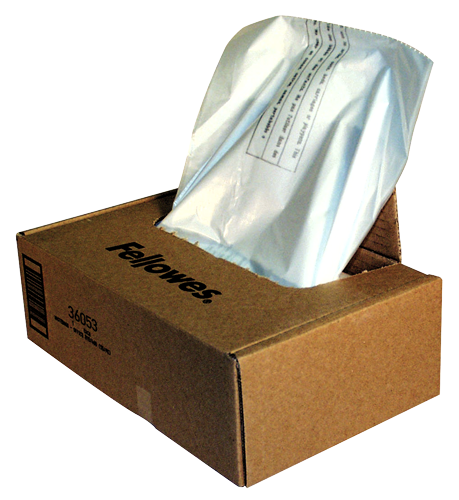
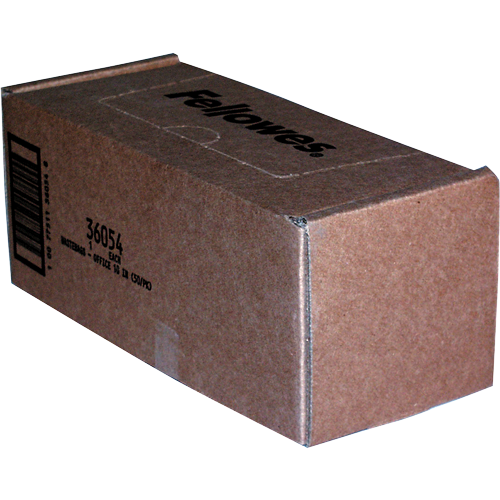
- Fellowes Waste Bags for 99Ci and AutoMax shredders cover home-office and small-department machines, including the 99Ms, 90S, 99Ci, HS-440, and AutoMax 130C and 200C
- Fellowes Waste Bags for 125 and 225 Series fit the larger 125, 225, and 2250 Series in department and commercial bins
Oil the Cutters on a Regular Schedule
Lubrication keeps the cutter assembly slicing cleanly rather than tearing paper, and it is the single most underdone maintenance task in most offices and homes.
Oiling frequency by shredder type:
- Cross-cut shredders: Oil the blades every time the waste bin is emptied
- High-security shredders: Oil every fifteen minutes of active shredding
- Heavy-duty shredders: Oil at ten-minute intervals during bulk shredding sessions
- Strip-cut shredders: Do not require oiling
- After a jam: Re-oil any model once the blockage is cleared to restore smooth cutting
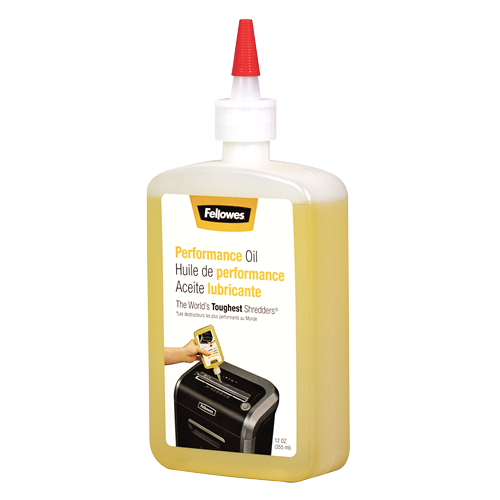
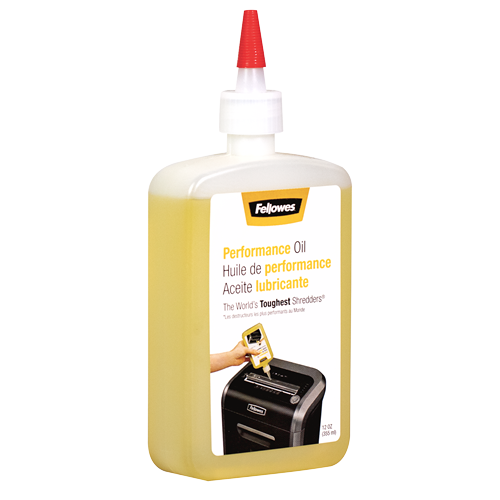
Oil type matters as much as schedule. Fellowes Powershred Shredder Oil is a lubricant designed for cross-cut and micro-cut cutter blocks. Aerosol and petroleum-based lubricants are not safe substitutes, they pose a fire hazard and void the warranty.
Manual oiling steps:
- Power off and unplug the shredder
- Apply a thin line of oil across the paper entry slot in a zigzag pattern
- Plug back in and run reverse for 10 to 20 seconds to spread oil across the cutter shaft
- Return to forward mode and shred a sheet of waste paper to verify smooth operation
Done consistently, this short routine keeps the cutters shredding cleanly and prevents most lubrication-related failures. For a more detailed walkthrough, see the step-by-step guide to oiling a Fellowes shredder.
Auto-Oil Models and When to Trigger a Manual Cycle
Auto-Oil systems handle cutter lubrication automatically based on shredding activity, eliminating manual oiling entirely. The only ongoing task is keeping the reservoir filled.
Models with Auto-Oil: Powershred 425Ci and 485Ci.
A manual trigger is occasionally needed after a heavy session, after a deep cleaning, or when a low-oil indicator illuminates before the next scheduled cycle:
- Top up the reservoir if low (12 oz maximum fill)
- Press and hold the Auto and Forward buttons together for 3 seconds
- The system handles the lubrication automatically
Three field notes that save service calls on these models:
- A low-oil indicator that returns within days of a top-up usually points to a leaking reservoir cap or a clogged level sensor, not actual oil consumption
- Check the manual for the model-specific oil grade, since Auto-Oil commercial models may require a different viscosity than the standard cross-cut shredder oil
- Top up before a known high-volume session to avoid a mid-shred pause when the auto-cycle triggers on a near-empty reservoir
How to Fix a Fellowes Shredder, Common Problems and their Quick Solutions
The problems below cover the vast majority of support tickets. Each ties back to one of the three failure causes outlined earlier, which makes recovery faster once the underlying cause is identified.
Fellowes Shredder Jammed How to Fix
Root cause: overfeeding or non-straight paper feeding.
A jam usually traces to a stack pushed past sheet capacity, a stapled set, or paper fed at an angle. Recovery is straightforward as long as cool-down is respected.
- Switch the shredder off and unplug it
- Let the motor cool fully if the overheat indicator is illuminated
- Hold reverse to back the paper out of the cutters
- Alternate forward and reverse in short bursts to break the blockage
- Remove visible paper carefully with hands or tweezers while unpowered
- Confirm the bin is not overfilled before resuming
Fellowes Shredder Not Turning On Fix
Root cause: safety interlock or power supply, not a motor fault in most cases.
A no-power condition is almost always a circuit, an interlock, or a stuck head. Run the checks in order:
- Verify the outlet is live by plugging in another device
- Inspect the power cord for visible damage or a loose connection
- Confirm the bin is fully closed and the head is correctly seated
- Check the disconnect switch on the back of the housing
- Unplug the unit and let it sit for 4 to 5 minutes before reconnecting, which clears most safety lockouts
Note on AutoMax SmartLock models. A forgotten 4-digit SmartLock PIN will prevent normal startup, and there is no public reset code. Recovery requires contacting Fellowes Customer Care with the model and serial number.
Shredder Overheating and the Cool-Down Cycle
Root cause: exceeding the rated duty cycle, often after repeated overfeeding.
The red overheat indicator means the motor has reached its thermal limit and needs the full rated rest period before it will resume. Trying to restart a hot shredder before it has fully cooled does not reset the thermal protection, and repeated overrides shorten motor life noticeably.
Steps to take when the overheat indicator triggers:
- Power off and let the unit rest for the full cool-down window listed earlier for the relevant model
- Resist switching the shredder back on early, since the thermal circuit will simply re-trigger
- Empty the bin and check for jams while the motor cools, since these often go together
- If the indicator persists after a full rest period, the thermal sensor itself may be faulty
Fellowes Shredder Red Light Blinking Meaning
Root cause: usually a sensor or indicator state, not a fault.
A red indicator on a Fellowes shredder almost always points to one of four conditions:
- Overheat Indicator, maximum operating temperature reached, full cool-down period required before resuming
- Bin Open Indicator, bin is not fully closed or seated, the shredder will not run until it is
- Bin Full Indicator, waste bin is at capacity and needs to be emptied before continuing
- Remove Paper Indicator, paper jam or overload detected, press reverse, remove the paper, and reduce per-pass quantity before refeeding
Unusual Noise During Operation
Root cause: debris, missed lubrication, or wear, in that order of likelihood.
A healthy Fellowes shredder runs at a consistent hum. Noise changes are diagnostic and worth tracing before they escalate into motor damage.
- Grinding or scraping, foreign object, staples, or a paper clip inside the cutters
- High-pitched whining, insufficient lubrication on the cutter shaft
- Clicking or knocking, worn drive components or a misaligned cutter block
If the noise persists after cleaning and a fresh oil cycle, stop using the shredder and contact support.
Bin Full and Bin Door Alerts
Root cause: clogged sensor or bin overflow.
A bin alert is usually a full bin, but two other conditions trigger the same signal.
- Empty the bin and reseat it fully on the rails
- Confirm the bin door latch is closed and the panel is square against the housing
- Check that shredded paper is not bridged against the sensor window inside the bin
A properly fitted bag prevents most false bin-door triggers, since loose paper cannot bridge across the sensor.
Reliable Shredding Comes Down to Routine and the Right Supplies
Reliable shredding has very little mystery to it. Staying inside the rated sheet capacity, respecting cool-down windows, oiling cross-cut and micro-cut cutters on schedule, and using properly sized waste bags resolve the vast majority of avoidable downtime. Operator habits and supply discipline are what separate a five-year shredder from a fifteen-year shredder.
Fellowes builds machines designed for that long-term reliability, but those machines work hardest when paired with the right consumables. The Shredder Supplies collection brings together the oil, bags, and accessories that keep Fellowes shredders performing the way they were engineered to. The model choice and the supply choice contribute equally to long-term shredder reliability. For the more specific questions that come up along the way, visit the Fellowes FAQ page.
Need Expert Guidance on Fellowes Shredder Maintenance and Supplies
Matching the right oil grade, bag size, and accessories to a specific machine often comes down to confirming the model and the daily volume. Contact the expert team, call (800) 992-5279, or email to confirm the right options for the shredder in service. The team will help match supplies and accessories to the specific Fellowes model and shredding workload.